booking_system
Event Management System Documentation
Overview
The Event Management System is a Spring Boot application that allows users to manage events and venues. It provides both a web interface and a REST API for creating, reading, updating, and deleting (CRUD) events and venues.
Quick Demo
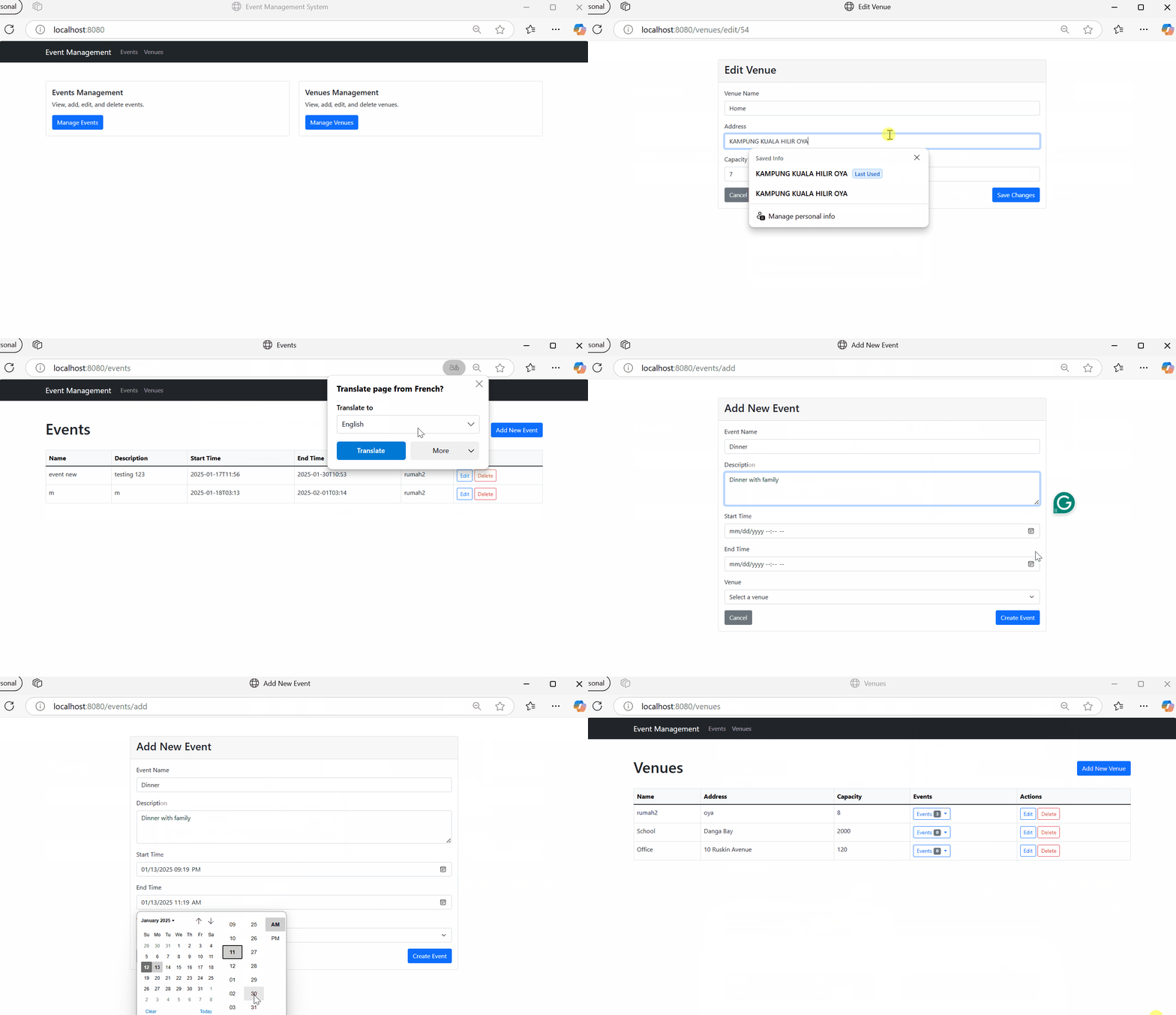
Home Page
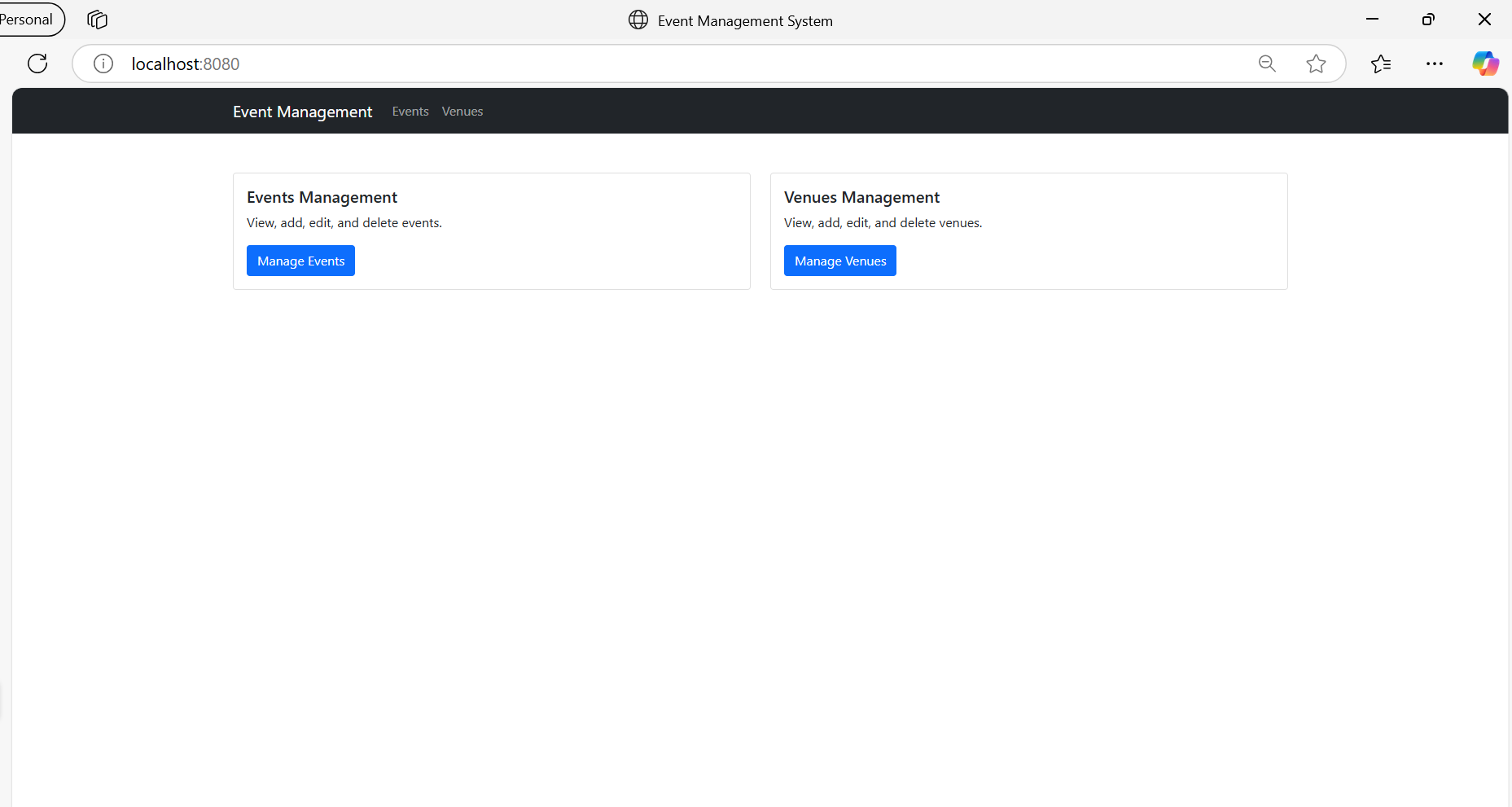
Event Page
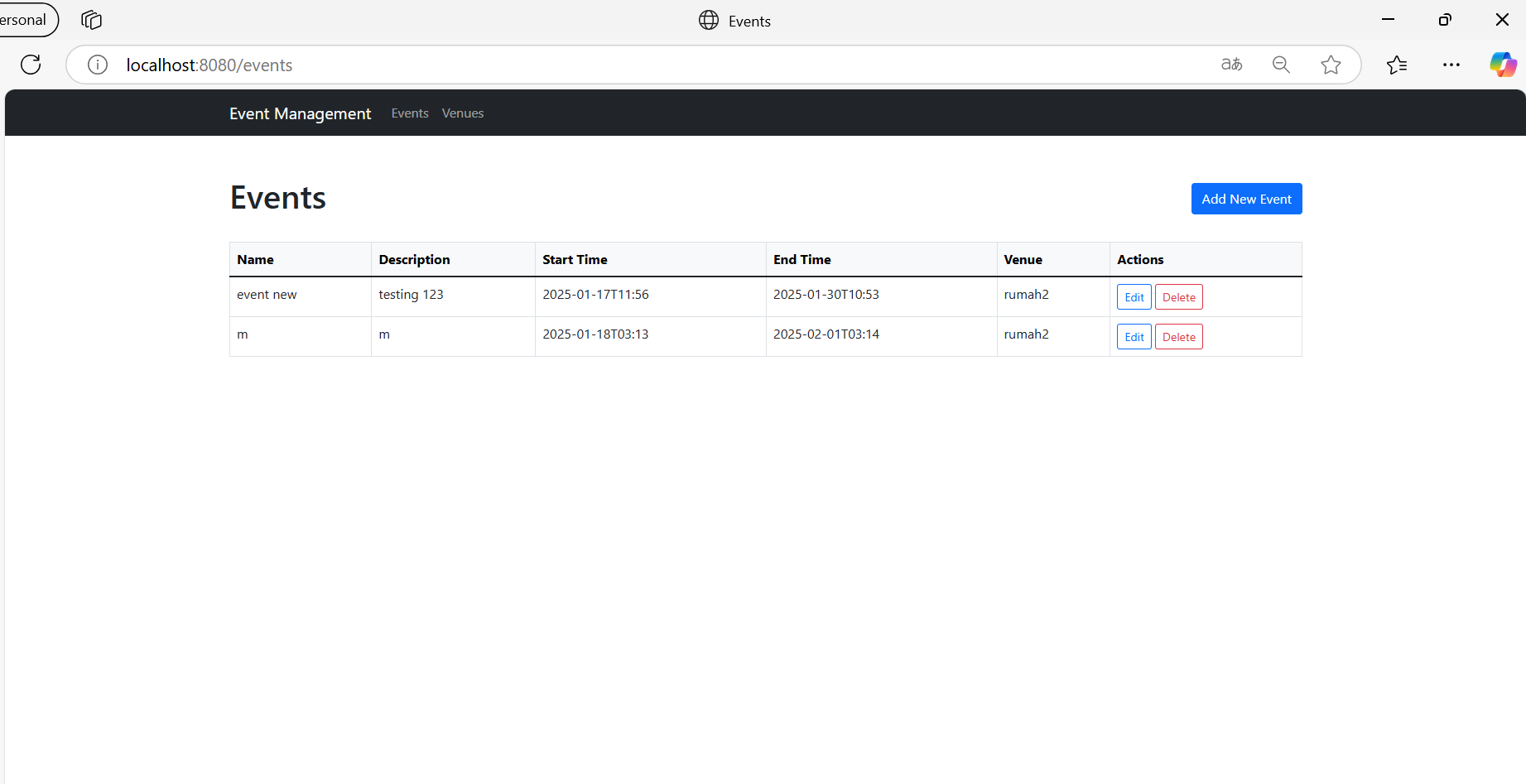
Venue Page
Technical Stack & Core Concepts
1. Spring Boot Framework
Spring Boot is the backbone of our application, providing:
- Auto-configuration
- Standalone application capability
- Embedded server (Tomcat)
- Production-ready features
2. Frontend Technologies
- Thymeleaf: A modern server-side Java template engine
- Natural templating - templates can be viewed in browsers
- Integration with Spring MVC
- Expression syntax:
${...}for variables,*{...}for object properties - Example from our code:
<input type="text" th:field="*{name}" required>
- Bootstrap 5: Frontend framework for responsive design
- Grid system for layout
- Pre-built components
- Utility classes
3. Database Layer
- JPA (Java Persistence API)
- Standard specification for ORM in Java
- Abstracts database operations
- Provides annotations for entity mapping
- Hibernate
- JPA implementation
- Handles database operations
- Manages entity relationships
4. Build Tool
- Maven
- Dependency management
- Project building
- Standard project structure
5. Architecture
- MVC Pattern
- Model: Data and business logic
- View: User interface (Thymeleaf templates)
- Controller: Request handling and flow control
Key Features
- Event Management
- Create, view, edit, and delete events
- Associate events with venues
- Search events by time range
- View all events in a list format
- Venue Management
- Create, view, edit, and delete venues
- Track venue capacity
- View events scheduled at each venue
- Search venues by minimum capacity
Project Structure
1. Domain Models (Entities)
Event Entity
@Entity
@Table(name="events")
public class Event {
    @Id @GeneratedValue
    private Long id;
    private String name;
    private String description;
    private LocalDateTime startTime;
    private LocalDateTime endTime;
    @ManyToOne
    private Venue venue;
}
Venue Entity
@Entity
@Table(name="venues")
public class Venue {
    @Id @GeneratedValue
    private Long id;
    private String name;
    private String address;
    private Integer capacity;
    @OneToMany(mappedBy="venue")
    private List<Event> events;
}
Deep Dive into Core Concepts
1. Transaction Management (@Transactional)
What is @Transactional?
@Transactional is a crucial Spring annotation that manages database transactions. A transaction ensures that a series of database operations either all succeed or all fail together, maintaining data consistency.
@Service
@Transactional
public class EventService {
    // Service methods
}
Why Use @Transactional?
- Data Integrity
- Ensures ACID properties:
- Atomicity: All operations complete or none do
- Consistency: Database remains in valid state
- Isolation: Transactions don’t interfere
- Durability: Changes are permanent
- Ensures ACID properties:
- Error Handling
@Transactional public Event updateEvent(Long id, Event event) { Event existingEvent = getEventById(id); // If this fails event.setId(existingEvent.getId()); return eventRepository.save(event); // This won't execute }- If any operation fails, all changes are rolled back
- Prevents partial updates
2. JPA Entity Relationships
@ManyToOne Relationship
In our Event-Venue relationship:
@Entity
public class Event {
    @ManyToOne
    @JoinColumn(name="venue_id")
    private Venue venue;
}
Why this design?
- Natural Modeling: Many events can occur at one venue
- Database Structure: Creates foreign key in events table
- Performance Considerations: Efficient querying of events by venue
@OneToMany Relationship
@Entity
public class Venue {
    @OneToMany(mappedBy = "venue", cascade = CascadeType.ALL)
    private List<Event> events;
}
Important aspects:
- mappedBy:
- Indicates bidirectional relationship
- Prevents duplicate foreign keys
- References the field name in Event class
- CascadeType.ALL:
- Propagates operations to related events
- When you delete a venue, related events are deleted
- Operations cascade: PERSIST, MERGE, REMOVE, REFRESH, DETACH
3. Controllers: Web vs REST
Web Controllers (ViewController)
REST Controllers
EventController: Handles API requests at/api/eventsVenueController: Handles API requests at/api/venues
Example Endpoints:
// Event endpoints
GET    /api/events           // List all events
POST   /api/events           // Create new event
GET    /api/events/{id}      // Get specific event
PUT    /api/events/{id}      // Update event
DELETE /api/events/{id}      // Delete event
GET    /api/events/search    // Search events by time range

// Venue endpoints
GET    /api/venues           // List all venues
POST   /api/venues           // Create new venue
GET    /api/venues/{id}      // Get specific venue
PUT    /api/venues/{id}      // Update venue
DELETE /api/venues/{id}      // Delete venue
GET    /api/venues/search    // Search venues by capacity
View Controllers
EventViewController: Handles web pages at/eventsVenueViewController: Handles web pages at/venuesHomeController: Handles the home page at/
3. Services
Services contain the business logic and act as an intermediary between controllers and repositories:
EventService: Handles event-related business logicVenueService: Handles venue-related business logic
Key features:
- Transaction management (
@Transactional) - Data validation
- Error handling
- Business rule implementation
4. Repositories
JPA repositories for database operations:
EventRepository: Extends JpaRepository for Event entityVenueRepository: Extends JpaRepository for Venue entity
Custom queries:
// Event queries
List<Event> findByStartTimeBetween(LocalDateTime start, LocalDateTime end);
List<Event> findByVenueId(Long venueId);

// Venue queries
List<Venue> findByCapacityGreaterThanEqual(Integer capacity);
5. Views (Thymeleaf Templates)
The application uses Thymeleaf templates with Bootstrap 5 for the web interface:
Event Views
events/list.html: Displays all events in a tableevents/add.html: Form to create new eventsevents/edit.html: Form to edit existing events
Venue Views
venues/list.html: Displays all venues in a tablevenues/add.html: Form to create new venuesvenues/edit.html: Form to edit existing venues
Home View
home.html: Landing page with navigation to events and venues
Getting Started
- Clone the repository
- Configure your database settings in
application.properties - Run
mvn spring-boot:runto start the application - Access the web interface at
http://localhost:8080
Common Tasks
Adding a New Event
- Navigate to
/events - Click “Add New Event”
- Fill in the required fields:
- Event name
- Description (optional)
- Start time
- End time
- Select a venue
- Click “Create Event”
Managing Venues
- Navigate to
/venues - View all venues in the table
- Use the “Add New Venue” button to create venues
- Edit or delete venues using the action buttons
Future Improvements
- Add user authentication and authorization
- Implement event categories
- Add image upload for venues
- Create a booking system for events
- Add email notifications
- Implement a calendar view